Key Points About Google Tag Manager:
- Simplified Tag Management: GTM makes it easier since marketers can get access to managing and deploying tracking codes without necessarily having a significant amount of coding knowledge.
- One Central Place for Implementation and Management of Tracking Codes: End-users get a single point to apply and manage the various tracking codes—they might include Google Analytics and Google Ads Tag.
- Agility Speed: Marketing campaigns will live faster on the market since the tag’s automated deployment eliminates the developer’s participation in it.
- Improved Visibility: GTM provides advanced tracking capabilities, which help us closely understand user actions or behaviour and associated site performance.
- Friendly Solution in Cost: Moreover, being absolutely free, GTM is a budget-friendly option for businesses in a struggle to maintain the smooth operation of the digital marketing process.
Using GTM allows businesses to streamline their marketing processes, deploy tags efficiently, and gain deeper insights into their site’s performance. In this blog post, we will explore the full form of GTM, its functionalities, and its role in simplifying data management for businesses.
The key agenda of Google Tag Manager is to make tag management easy and efficient. Users will be able to run and, in fact, have control over their tracking codes, such as Google Analytics, Facebook Pixel, or other custom scripts within one place. This eliminates the hassle of making alterations individually on every page. The chances of errors are kept at bay, and the tag is implemented faster. With businesses indulging in data-driven marketing, a tool like GTM ensures their adaptability level and agility remain high.
Moreover, GTM’s automated deployment of tags allows businesses to set their marketing campaigns faster and measure with higher accuracy. This platform offers an easy interface that provides marketers with power to work on creating and editing tags without forcing them to involve the developer every single time for the change. This blog will look at the basics of Google Tag Manager, the benefits of Google Tag Manager in digital marketing, and why businesses today need to utilise this tool to maximise their online presence.
What is Google Tag Manager?
Google Tag Manager is a tag management system that helps manage and deploy marketing and analytics tags in websites or mobile apps without involving the underlying code. It acts as a central hub to add, edit, and manage tags, making it easier for marketers and developers to track user interactions on the site.
Main Features of Google Tag Manager:
- User Interface: This guarantees that the users can easily create and manage tags without needing technical skills.
- Tag, Trigger, and Variable Structure: This structure allows for customising tracking by first defining tags as little code snippets, triggers or activation rules, and variables or dynamic placeholders.
- Third-Party Tags Integration: GTM allows the integration with a wide range of third-party tools, especially Google Ads Tag and Facebook Analytics, which helps in further handling more extensive tracking across various platforms.
- Version Control: With GTM, users can create multiple versions of their tags. Thus, changes can be tracked easily, and previous configurations can be reverted to when necessary.
With these extended flexibility features, users can utilise customised HTML tags for more complex tracking solutions. GTM’s versatility and ease of use have been a major reason why businesses tend toward a better model that could help streamline their digital marketing operations. One of the strong features that defines GTM is its structure, which is called Tag, Trigger, and Variable.
- Tag: This means some code that will track the actions of the user being done on your website, such as page views, clicks, or form submission.
- Trigger: This means when and where the tag is activated. For example, the tag is activated the moment a user clicks the button.
- Variables: These are placeholders in terms of dynamic values to be used as part of tags or triggers.
This structure allows for so much flexibility that users are allowed to customize their tags even further in order to track any interactions of their choice and, in-depth, determine the behaviour of users. It also enables people to enable a great number of third-party tags, such as Google Ads, Facebook Analytics, and LinkedIn Insights. This means that GTM is yet another all-in-one solution through which different tools can be integrated to make life easier when managing all those tags and ensuring consistent data collection from all platforms. Using GTM is the best way that businesses can avoid confusion caused by manual coding by focusing on analysing the data to make meaningful marketing decisions.
Why Google Tag Manager Crucial for Digital Marketing?
Google Tag Manager is needed for digital marketing because it simplifies tracking user interactions and campaign measurement. The biggest benefit of GTM is that it reduces dependency on developers.
Why Does Google Tag Manager Help Marketers?
One of the most significant reasons GTM must find a place in the digital marketing toolkit is that it helps marketers reduce their dependency on Developers.
Reduced Dependency on Developers:
Tag management lets marketers create and manage their tags themselves, which really simplifies tracking processes and accelerates campaign launches.
Other Benefits:
- Improved Site Performance: GTM manages the firing of a number of tags on a website, thereby outgrowing the susceptibility to redundant or conflicting tags, which can hinder the speed of the webpage load times.
- Improved Tracking Capabilities: GTM permits the tracking of user involvement, such as video engagement and scroll depth. These will allow sophisticated insights into optimisation.
- Better User Experience: GTM ensures asynchronous tag firing, thereby improving page load times, which, in effect, improves the general user experience.
Another known cause is campaign measurement. Marketers could fine-tune their efforts by acquiring real-time data because the tool is highly accurate.
In traditional tag management, introducing or modifying tracking codes usually requires changes to the website’s source code; hence, it takes some time and is susceptible to errors. GTM has an interface that is easy to use, and marketers may come up with or deploy a tag without necessarily asking someone to do it for them, hence reducing time and reducing the likelihood of error.
Site performance is yet another benefit brought along with GTM. As it is easy to manage tags on the site that act, the chances of going to redundant or overlapping tags in areas where they are needed the least will slow down the page loading time. The tags in GTM fire asynchronously. So, the tags do not necessarily cause delays in site performance and ensure a responsive experience for users. This is even done through performance optimisation, which is essential since site speed is a prime ranking factor in both SEO and user satisfaction.
GTM also allows businesses to track even more complex interactions with customers, like video engagement, scroll depth, and e-commerce transactions. Companies may have a far more granular view of the way users interact with them if available data from these insights can be used appropriately. With more advanced features of GTM, businesses can create customized tracking solutions that resonate with their particular goals and better measure the success of their campaigns.
Key Features of Google Tag Manager
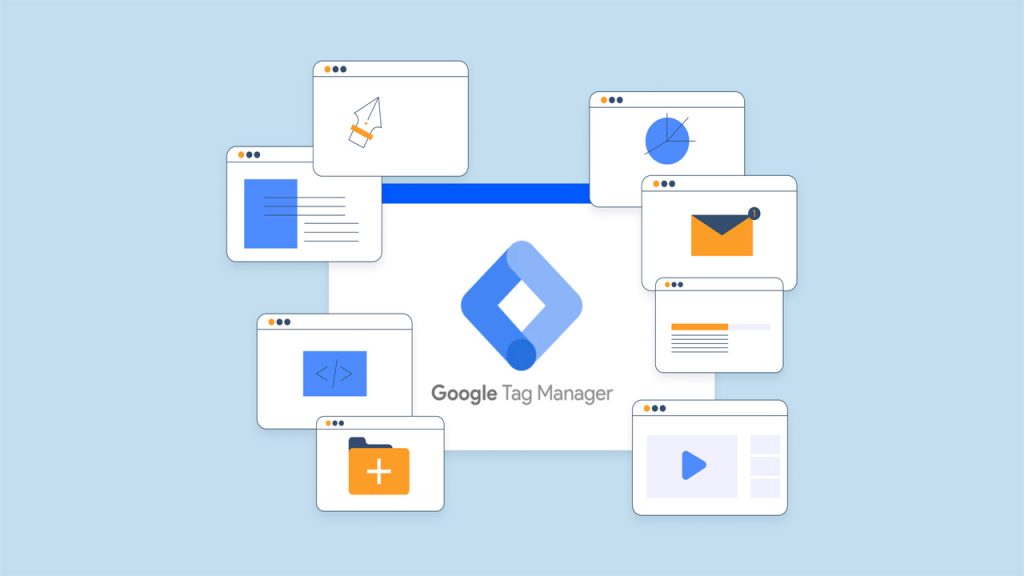
Google Tag Manager comes with indispensable features that could add tremendous strength to the hands of digital marketers and web developers.
Some of the Notable Features of GTM are as Below:
- Preview and Debug Mode: It has preview and debug modes for tags’ performance, where users can test their tags in real-time, even before deployment. He, regarding performance, says they get instant feedback.
- Built-In Tag Templates: GTM offers pre-configured templates for the most common tags. The simplicity of the implementation process saves marketers a lot of time.
- Version Control: Several versions of the user’s container are maintained so that changes can be tracked, and if something is wrong, other setups can be reverted to that version.
- Tracking Custom Events: GTM enables businesses to establish custom event tracking for particular user activities. This will provide a deeper view of engagement metrics.
- Cross-Domain Tracking: GTM tracks different domains necessary for the respective businesses using multiple web properties or sites.
Preview and Debug Mode are among the many features. Here, one can test their tags before deploying them live. This mode provides real-time feedback about how tags, triggers, and variables perform, ensuring that everything works just right before going live. The ability to preview and debug tags in a controlled environment lowers the risks of errors being committed and ensures that data is accurately acquired.
Another critical feature of GTM is Built-In Tag Templates. Building on Built-In Tag Templates allows the user to set up most common tags easily, such as Google Analytics, AdWords Conversion Tracking, and Facebook Pixel, among others Us.ing pre-..configured templates enables a marketer to avoid the need to write custom code in order to quickly set up tags, which is very convenient for marketers who are not programming experts but still implement complex tracking solutions.
Another use of GTM Version Control is to generate and maintain different versions of a container for its users. Whenever there is a change to the tags, triggers, or variables, GTM generates a new version that can be reviewed, tested, and rolled back if needed. Thus, a version control system of this kind also secures possible changes and reverts if required for added protection and flexibility. It also allows teams to test various tracking configurations without altering the existing configuration.
Getting Started with Google Tag Manager

Getting started with Google Tag Manager is effortless, especially for non-tech-savvy ones.
Steps for Setting Up GTM:
- Set Up a GTM Account: Navigate to the Google Tag Manager homepage, sign in using a Google account, and create a new account for your business.
- Create a New Container: After creating an account, create a container for your website or mobile app.
- Install the GTM Code on Your Website: After the container is created, GTM will provide you with a piece of code that needs to be added to your website.
- Configure Your Tags, Triggers, and Variables: Create the required tags, define the triggers for them, and set up variables as needed.
- Test and Publish: Use the preview and debug mode to test your tags and ensure they work correctly before publishing your container.
The first step to setting up Google Tag Manager is to sign up for an account with Google Tag Manager. The sign-up process is easy; one needs to sign in with their Google Account and create a new GTM account that they can later name after their business or website. The next step will be to create a new container in which users can house tags that will track user interactions on their website or app. GTM provides you with a unique code snippet that will need to be added to the website to begin tracking.
Once the GTM code is installed, it is a matter of creating tags and establishing triggers. In a nutshell, GTM provides users with easy and swift access to tag management, enabling them to streamline their marketing processes and gain insightful analytics.
Final Thoughts
Google Tag Manager is an indispensable tool that allows marketers to manage and deploy tracking codes efficiently without extensive coding knowledge. Its capabilities to streamline tag management, improve site performance, and enhance tracking accuracy make it essential for digital marketing efforts. Businesses should leverage GTM to optimize their marketing campaigns, gain deeper insights into user behaviour, and ultimately improve their online presence. By reducing dependency on developers and providing a user-friendly interface, GTM empowers marketers to take charge of their tracking needs and focus on making data-driven decisions.
]]>Important Takeaways About GSC:
- Search Visibility: GSC provides pretty basic information concerning how your website appears in search results, improving your visibility.
- Performance Tracking: From the users’ point of view, it can track significant metrics like clicks, impressions, and CTR regarding specific queries and pages.
- Technical SEO Insights: This tool informs you of problems with indexing, mobile usability errors, and crawling that might impact your site’s performance.
- Comparison with Other Tools: Understanding how GSC differs from tools like Google Analytics (GA Full Form) is essential for leveraging its full potential.
- Strategic Decision Making: GSC empowers you to make informed decisions that enhance your website’s performance and search rankings.
As we proceed with this topic, we realize that Google Search Console is multifaceted and geared toward creating maximum visibility for the property, attracting ideal tenants, and ensuring a frictionless rental process.
What is Google Search Console?
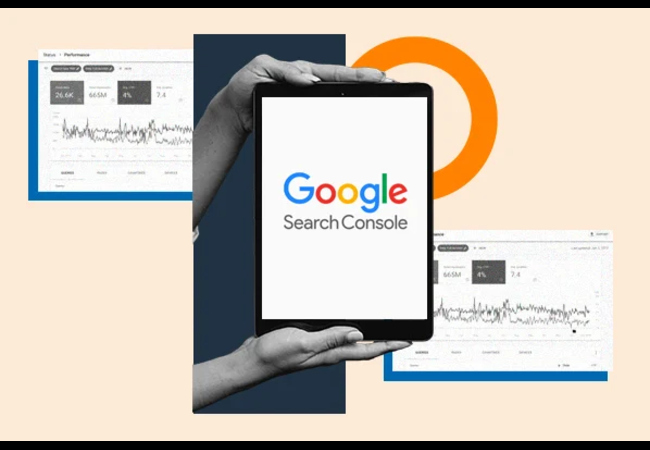
Google Search Console (GSC), formerly known as Google Webmaster Tools, is a free Google service designed explicitly for website owners. It allows them to monitor their site’s presence within Google’s index, understand any problems related to indexing as they arise, and track performance in search results.
Essential Features of GSC:
- Index Status: GSC informs you which pages Google indexes and highlights the ones it has issues with.
- Performance Report: It gives insight into clicks, impressions, and the average position of search queries, thus helping to determine the top-performing content.
- Mobile Usability: GSC analyzes your site’s mobile-friendliness and points out any issues that might hinder its usability on mobile devices.
- URL Inspection Tool: An inspection tool to check specific URLs on your website to see if they are indexed in Google, providing information on what Google sees concerning that page and, possibly, why it is not being indexed.
- Submission of the Sitemap: GSC enables you to directly submit your sitemaps to Google, ensuring more rapid and accurate indexing, especially concerning newly added or updated content.
For most, GSC is a natural complement to Google Analytics. While Google Analytics focuses on user behavior and engagement metrics, such as bounce rate, average session duration, and page views, GSC concentrates on how your site performs in search results. This means GSC is essential for identifying technical problems that keep your sites from appearing in searches, such as indexing issues, mobile usability problems, or crawl errors.
Another good thing about Google Search Console is that it provides critical information about your website’s click-through rate, impressions, and average position for particular queries. This essential information is invaluable when optimizing content to achieve better rankings. By combining GSC with more specific tools like Google Analytics 4 (GA4), which offers much more detailed tracking and reporting, web admins can gain complete clarity on site performance and user behavior, making informed decisions to maximize their online presence.
Importance of Google Search Console

In today’s digital environment, having a website is no longer a concern; what matters is how well it ranks and appears in search results. In this context, Google Search Console plays a considerable role. It acts as a bridge connecting your website with Google’s search engine, thus bringing your site’s strengths and weaknesses to life from Google’s perspective.
Why GSC is Important
- Track Search Performance: GSC enables you to monitor your website’s performance over time. It tracks impressions, clicks, and CTR for certain queries and pages.
- Fix Indexing Issues: The tool alerts you to indexing problems that might mean your site isn’t appearing in search results. You fix these issues to increase your site’s ability to be found through searches.
- Improve Mobile Usability: Like the trend in mobile traffic, ensuring your site is mobile-friendly becomes essential. GSC helps track any mobile usability issues.
- Enhance Search Rankings: While Google Analytics tracks how users behave once they arrive at your website, GSC focuses on how to get the user there first. This makes it a better tool to improve search ranks and organic traffic.
- Optimize SEO Strategy: GSC helps improve search visibility and provides insights into how Google indexes and presents your content. This information can profoundly inform your SEO strategy, allowing you to make data-driven decisions that contribute to increasing your website’s growth and achievement.
Google Search Console improves your site’s search visibility and helps you understand how Google indexes and presents your content. This understanding is crucial for developing an effective SEO strategy and making informed, data-driven decisions that enhance your website’s performance and growth.
Key Features of Google Search Console
This feature helps you keep track of, monitor, and significantly optimize your site’s performance in the search results. Some of the most powerful tools for you can be found below:
Key GSC Features:
- Performance Report:
It indicates how your site performs in Google Search. The report will display total clicks, impressions, average CTR, and average position on your website during a selected period. - URL Inspection Tool:
An inspection tool to check specific URLs on your website to see if they are indexed in Google provides information on what Google sees concerning that page and, possibly, why it is not being indexed. - Submission of the Sitemap:
GSC enables you to directly submit your sitemaps to Google, resulting in more rapid and accurate indexing, especially for newly added or updated content. - Mobile Usability Report:
It analyzes how mobile-friendly your site is and identifies any issues that might hinder its usability on mobile devices. - Index Coverage Report:
Provides information about the indexing status of your site, highlighting any errors or issues that need to be addressed to improve your site’s presence in search results.
The capabilities mentioned above allow web admins to track their website’s search performance, fix various issues, and ensure Google knows which structure their content is arranged according to. Maintaining these features is essential to keeping an edge over competitors’ rankings.
How Google Search Console Complements Google Analytics
Although Google Search Console itself is a powerful tool, further integration with Google Analytics is required to get deeper insights into how your website is performing. Google Analytics (GA Full Form) tracks user behavior once they have reached the site, such as page views and conversion tracking. The synergy between GSC and Google Analytics provides comprehensive insights:
Synergy Between GSC and Google Analytics
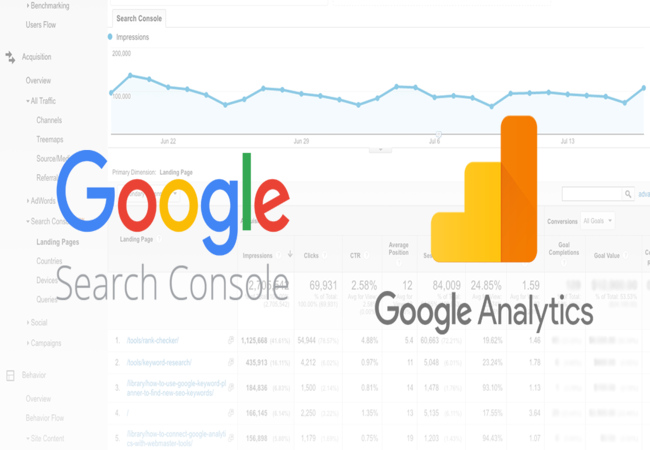
- Full View:
Using both tools, you will get a complete view of your website from the outside and inside perspectives. - Identify Problems:
In the GSC, a page is reported to have a high click-through rate, but in Google Analytics, the same page is reported to have a high bounce rate, indicating something might be wrong with its content. - Data-Driven Decision Making:
Using the data received from both tools, you can make decisions that help boost your site’s overall performance Optimization:
Combining GSC and Google Analytics insights allows for more effective optimization strategies that address search visibility and user engagement. - Comprehensive Reporting:
Integrating both tools provides a more comprehensive reporting framework, enabling you to track and measure the success of your SEO and user experience efforts concurrently.
Tutorials such as “Google Analytics for Beginners” help newcomers familiarize themselves with both tools. Mastery of both GSC and Google Analytics for website optimization enables data-driven decisions that can drive your site’s maximum performance.
Using the Combined Insights Example:
You have a newly launched product page, and GSC is showing an increase in clicks, but Google Analytics still has a high bounce rate. That’s a flag to review that page’s content and overall experience. The expectation set within the search results doesn’t align with the experience the visitor then gets. Some tweaking is needed to improve that engagement.
By leveraging both Google Search Console and Google Analytics, web admins can gain a holistic understanding of their website’s performance, identify areas for improvement, and optimize search visibility and user engagement.
Final Thoughts
Effective Google Search Console is a multi-faceted approach – strategic planning, execution, and continuous optimization. Taking in and implementing the key elements discussed here will enhance your website optimization strategies and ensure that you harness the full potential of GSC. Here are five final takeaways:
- Comprehensive Strategy Development:
To succeed, a comprehensive advertising strategy that includes visibility, targeting, compelling listings, multiple channels, and performance measurement will be crucial. - Investment in Quality Content:
For instance, investments in quality pictures and descriptions of a property can be substantial and attract people to consider a place for rent. - Data-Informed Decisions:
Leverage data and analytics to help guide your advertising decisions to ensure your money is allocated correctly. - Adaptability and Flexibility:
Adjusting your strategies based on feedback and performance data can make you more competitive and responsive to market changes. - Relationship Building:
This would result in better relations with prospective and existing tenants and, eventually, higher tenant satisfaction and loyalty through consistent communication and transparency.
Hence, embracing these principles will ensure that your Google Search Console efforts significantly augment your site’s visibility in Google Search. This practical strategy ensures that your website remains desirable and competitive within the ever-evolving digital marketing landscape. Effective Google Search Console is essential for any website owner, SEO professional, or digital marketer aiming to optimize their site for better search rankings and performance. By building visibility of the property, targeting the right audience, creating great listings, using multiple advertising channels, and measuring and optimizing campaigns, you can significantly improve your website’s marketing strategy. Investment in quality content, leveraging data-driven decisions, and staying adaptable to changes in the market define a good Google Search Console strategy. Building a meaningful relationship with tenants or users will further guarantee that your online presence can enjoy success in the long run. Communicate clearly and consistently with your audience to further solidify strong relationships. Make sure you take all these approaches to maximize the potential of your website optimization efforts and sustain growth in the highly competitive digital marketing landscape.
]]>Ready to talk with a marketing expert?

A Pragmatic and innovative way to enthrall your target group is just a click away!
Get in Touch
Rukmini Knowledge Park, Kattigenahalli, SH 104, Srinivasa Nagar, Bengaluru, Karnataka 560064
+91-990 247 8800
contact@gingermediagroup.com
Popular in Television Advertising
Udaya TV AdvertisingSun TV AdvertisingStar Plus AdvertisingTV 9 AdvertisingZee TV AdvertisingNDTV India AdvertisingColors TV AdvertisingPopular in Airport Advertising
Spice Jet AdvertisingMumbai Airport AdvertisingDelhi Airport AdvertisingEmirites AdvertisingIndiGo Airlines Domestic India AdvertisingPopular in Newspaper Advertising
Deccan Herald AdvertisingPrajavani AdvertisingThe Hindu AdvertisingEconomic Times AdvertisingDainik Jagran AdvertisingHindustan Times AdvertisingPopular in Magazine Advertising
Forbes AdvertisingCosmopolitan AdvertisingBusiness World AdvertisingVogue Magazine AdvertisingPopular in Sports Advertising
IPL AdvertisingPopular in Outdoor Advertising
Billboard AdvertisingBus Shelter AdvertisingMetro Pillar AdvertisingUnipole Advertising© Ginger Media Group 2025. All Rights Reserved.