Key Aspects of UTM:

- Enhanced Decision-Making: Countless UTM parameters contribute to the identification of the best ads and channels, which in turn can be utilized for planning more effective marketing strategies.
- Cost Efficiency: Through clear performance goals and effective analytics, corporations can discontinue ineffective marketing tactics and redirect resources to more productive activities.
- Improved Customer Focus: UTM tracking ensures that promotional operations are marvelously targeting the right people whose preferences and behavior are close to the chosen marketing approach.
- Continuous Improvement: As brands analyze and take in UTM data consistently, they can lessen or wholly cut off particular marketing campaigns that the customers have little or no interest in and then promote products they are after.
- Strategic Planning: Companies can better predict how their campaigns will pan out and sketch out their long-term plans effectively since UTM data provides records of campaign performance over time. In this blog, we will shed light on the concepts of UTM, highlight the value of this contemporary marketing tool, and illustrate how companies can release their potential for enhanced marketing performance. Please take advantage of our blog, where we will reveal the most essential information and the easiest way to embed UTM into your marketing strategy. Join us as we uncover valuable insights and practical steps to integrate UTM into your marketing strategy!
What Is UTM?

UTM, the so-called Urchin Tracking Module, is a powerful tool for digital marketing implemented based on URL tracking parameters that are added to the links. Notably, the capabilities for traffic analysis are spoken of here. Marketers can benefit from detailed information, such as the exact traffic sources, the most successful campaigns, and user reactions to the content. Thus, their marketing strategy will be refined, and their performance will improve.
Key Components of UTM
1. Source
The source section states the webpage the user clicked the link from, such as one of the search engines, social media platforms, or direct referrals. Correctly understanding the source factor is essential because this element allows marketers to analyze the channels that bring substantial traffic and leads.
2. Medium
This component identifies the means of communication, such as email, social media, or cost-per-click (CPC). This helps the organization expand its reach by pointing out the specific platforms that produce the best outcomes.
3. Campaign
This piece enables the marketer to give his campaigns individual names, adding context to the traffic sources. It is fundamental to see which marketing drives are the most successful in garnering attention. Moreover, these results can help make strategic improvements.
Benefits of UTM
- Improved Decision-Making: UTM parameters and the knowledge acquired from the various return couriers explain specifically where the traffic originates and how it is used on a website. For example, if a business suddenly sees how a specific email campaign is driving so much traffic and conversions, it may want to give an extra push to such communications.
- Cost Efficiency: By interpreting UTM data, corporations can determine which marketing plans give the maximum return on their investment. For instance, a business can discover that Facebook ads are a better option than Google Ads, so it can use that as a strategic way to spend lower-cost resources on other methods.
- Enhanced Communication and Collaboration: Building UTM provides appropriate teams with the opportunity to clearly communicate the execution of the work and the responsibilities shared among all team members. The graphics of the data related to the campaign performance can be seen by all team members, who can thus coordinate their efforts in the name of transparency and common goals.
Core Principles of UTM
Focus on Activities: The first approach to tracking specific marketing activities, putting them into light, allows you to gain insight into lead and sales generation through various engagement methods.
Link Activities to Costs: Correlation between activities and expenses is a key budget and forecast process element. By combining the two, organizations will benefit from the maximum utilization of their marketing funds.
Continuous Improvement: UTM is an outcome that comes into being through continuous assessment and feedback. Time and again, teams improve their strategies and choose the best approaches as they focus on analyzing the performance of the marketing campaigns.
Steps to Implement UTM
Analyze Current Activities: In order to successfully implement UTM, companies should first focus on assessing their existing marketing activities and tracking methods. This will help disclose gaps and opportunities.
Establish Cost Drivers: Define the reasons for the different costs arising in various marketing channels. Gaining insight into these motivators will help defer resource allocation.
Implement Performance Metrics: Form a system of tags for tracking URL performance with UTM. Tools like Google Analytics are essential to cover all the metrics regarding the system.
Engage Employees: Involving the staff members in the implementation process is a key element for fostering a culture of data-based decisions. Furthermore, we can have training sessions as part of the formation of a knowledge base to enlighten the employees on UTM usage.
Leverage Technology: The employment of an app that has the authority to track software and marketing analytics enhances the UTM process. Technology integration guarantees the correct capture of data and the actualization of real-time monitoring.
Real-World Examples of UTM
1. HubSpot
HubSpot smartly utilized UTM parameters to track the success of its ebook marketing campaign. The composite analysis of lead sources showed that social media was the most fruitful marketing platform, as it delivered the best results among the people who were found there, while email campaigns were the second best choice. This made them go for social media marketing.
2. REI
REI tagged UTM for the holiday campaign they ran, and through this campaign, UTM became a real insight for them, as email newsletters brought 40% of the copied ads that the display ads copy got. Then, they reinforced material for email marketing.
3. Airbnb
Airbnb analyzed the UTM parameterized data to examine the effectiveness of the promotional channels. They figured out that the referral program was the most beneficial, and they kept their marketing in that direction of their marketing strategically.
Conclusion
UTM is necessary for organizations that want to track marketing metrics through data analysis and monitoring. Adroit use of UTM is the byword of tracking and improving geospatial accuracy and analysis. They will be very adaptive towards implementing UTM in spatial concept learning.UTM (Universal Transverse Mercator) is an invaluable approach for organizations that provides accuracy and analysis. Put the following steps to the accomplishments of a business through the employment of UTM:
1. Exactness in spatial data representation.
2. Integrating geospatial analysis into business strategy for evaluating spatial accuracy, precision, and modeling.
3. Making the GIS process standardized and effective.
Now is the time to adopt UTM and see the radical changes it can bring to your company. Start applying geospatial organizing today to initiate the process of optimization!
]]>Key Points About Google Tag Manager:
- Simplified Tag Management: GTM makes it easier since marketers can get access to managing and deploying tracking codes without necessarily having a significant amount of coding knowledge.
- One Central Place for Implementation and Management of Tracking Codes: End-users get a single point to apply and manage the various tracking codes—they might include Google Analytics and Google Ads Tag.
- Agility Speed: Marketing campaigns will live faster on the market since the tag’s automated deployment eliminates the developer’s participation in it.
- Improved Visibility: GTM provides advanced tracking capabilities, which help us closely understand user actions or behaviour and associated site performance.
- Friendly Solution in Cost: Moreover, being absolutely free, GTM is a budget-friendly option for businesses in a struggle to maintain the smooth operation of the digital marketing process.
Using GTM allows businesses to streamline their marketing processes, deploy tags efficiently, and gain deeper insights into their site’s performance. In this blog post, we will explore the full form of GTM, its functionalities, and its role in simplifying data management for businesses.
The key agenda of Google Tag Manager is to make tag management easy and efficient. Users will be able to run and, in fact, have control over their tracking codes, such as Google Analytics, Facebook Pixel, or other custom scripts within one place. This eliminates the hassle of making alterations individually on every page. The chances of errors are kept at bay, and the tag is implemented faster. With businesses indulging in data-driven marketing, a tool like GTM ensures their adaptability level and agility remain high.
Moreover, GTM’s automated deployment of tags allows businesses to set their marketing campaigns faster and measure with higher accuracy. This platform offers an easy interface that provides marketers with power to work on creating and editing tags without forcing them to involve the developer every single time for the change. This blog will look at the basics of Google Tag Manager, the benefits of Google Tag Manager in digital marketing, and why businesses today need to utilise this tool to maximise their online presence.
What is Google Tag Manager?
Google Tag Manager is a tag management system that helps manage and deploy marketing and analytics tags in websites or mobile apps without involving the underlying code. It acts as a central hub to add, edit, and manage tags, making it easier for marketers and developers to track user interactions on the site.
Main Features of Google Tag Manager:
- User Interface: This guarantees that the users can easily create and manage tags without needing technical skills.
- Tag, Trigger, and Variable Structure: This structure allows for customising tracking by first defining tags as little code snippets, triggers or activation rules, and variables or dynamic placeholders.
- Third-Party Tags Integration: GTM allows the integration with a wide range of third-party tools, especially Google Ads Tag and Facebook Analytics, which helps in further handling more extensive tracking across various platforms.
- Version Control: With GTM, users can create multiple versions of their tags. Thus, changes can be tracked easily, and previous configurations can be reverted to when necessary.
With these extended flexibility features, users can utilise customised HTML tags for more complex tracking solutions. GTM’s versatility and ease of use have been a major reason why businesses tend toward a better model that could help streamline their digital marketing operations. One of the strong features that defines GTM is its structure, which is called Tag, Trigger, and Variable.
- Tag: This means some code that will track the actions of the user being done on your website, such as page views, clicks, or form submission.
- Trigger: This means when and where the tag is activated. For example, the tag is activated the moment a user clicks the button.
- Variables: These are placeholders in terms of dynamic values to be used as part of tags or triggers.
This structure allows for so much flexibility that users are allowed to customize their tags even further in order to track any interactions of their choice and, in-depth, determine the behaviour of users. It also enables people to enable a great number of third-party tags, such as Google Ads, Facebook Analytics, and LinkedIn Insights. This means that GTM is yet another all-in-one solution through which different tools can be integrated to make life easier when managing all those tags and ensuring consistent data collection from all platforms. Using GTM is the best way that businesses can avoid confusion caused by manual coding by focusing on analysing the data to make meaningful marketing decisions.
Why Google Tag Manager Crucial for Digital Marketing?
Google Tag Manager is needed for digital marketing because it simplifies tracking user interactions and campaign measurement. The biggest benefit of GTM is that it reduces dependency on developers.
Why Does Google Tag Manager Help Marketers?
One of the most significant reasons GTM must find a place in the digital marketing toolkit is that it helps marketers reduce their dependency on Developers.
Reduced Dependency on Developers:
Tag management lets marketers create and manage their tags themselves, which really simplifies tracking processes and accelerates campaign launches.
Other Benefits:
- Improved Site Performance: GTM manages the firing of a number of tags on a website, thereby outgrowing the susceptibility to redundant or conflicting tags, which can hinder the speed of the webpage load times.
- Improved Tracking Capabilities: GTM permits the tracking of user involvement, such as video engagement and scroll depth. These will allow sophisticated insights into optimisation.
- Better User Experience: GTM ensures asynchronous tag firing, thereby improving page load times, which, in effect, improves the general user experience.
Another known cause is campaign measurement. Marketers could fine-tune their efforts by acquiring real-time data because the tool is highly accurate.
In traditional tag management, introducing or modifying tracking codes usually requires changes to the website’s source code; hence, it takes some time and is susceptible to errors. GTM has an interface that is easy to use, and marketers may come up with or deploy a tag without necessarily asking someone to do it for them, hence reducing time and reducing the likelihood of error.
Site performance is yet another benefit brought along with GTM. As it is easy to manage tags on the site that act, the chances of going to redundant or overlapping tags in areas where they are needed the least will slow down the page loading time. The tags in GTM fire asynchronously. So, the tags do not necessarily cause delays in site performance and ensure a responsive experience for users. This is even done through performance optimisation, which is essential since site speed is a prime ranking factor in both SEO and user satisfaction.
GTM also allows businesses to track even more complex interactions with customers, like video engagement, scroll depth, and e-commerce transactions. Companies may have a far more granular view of the way users interact with them if available data from these insights can be used appropriately. With more advanced features of GTM, businesses can create customized tracking solutions that resonate with their particular goals and better measure the success of their campaigns.
Key Features of Google Tag Manager
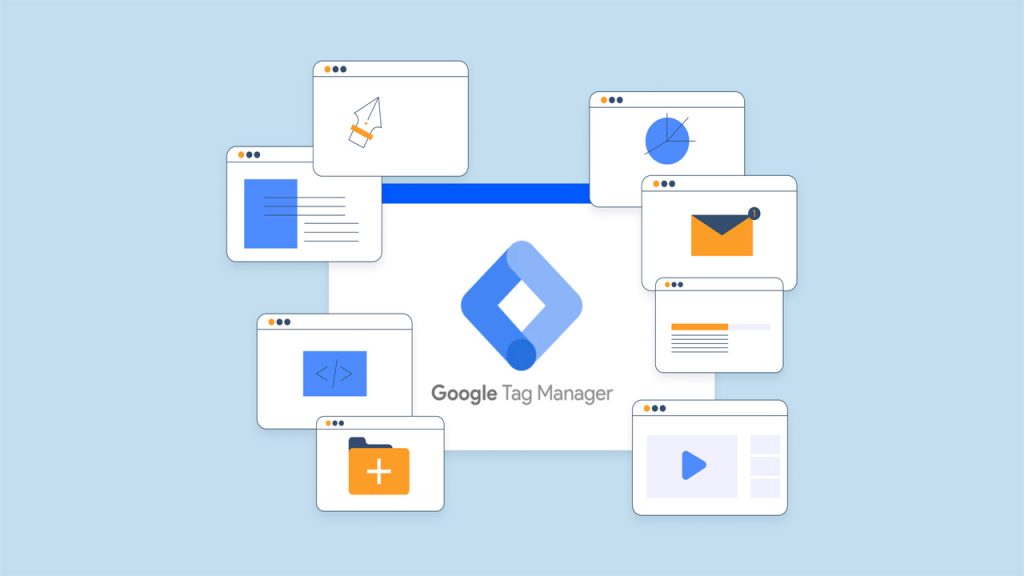
Google Tag Manager comes with indispensable features that could add tremendous strength to the hands of digital marketers and web developers.
Some of the Notable Features of GTM are as Below:
- Preview and Debug Mode: It has preview and debug modes for tags’ performance, where users can test their tags in real-time, even before deployment. He, regarding performance, says they get instant feedback.
- Built-In Tag Templates: GTM offers pre-configured templates for the most common tags. The simplicity of the implementation process saves marketers a lot of time.
- Version Control: Several versions of the user’s container are maintained so that changes can be tracked, and if something is wrong, other setups can be reverted to that version.
- Tracking Custom Events: GTM enables businesses to establish custom event tracking for particular user activities. This will provide a deeper view of engagement metrics.
- Cross-Domain Tracking: GTM tracks different domains necessary for the respective businesses using multiple web properties or sites.
Preview and Debug Mode are among the many features. Here, one can test their tags before deploying them live. This mode provides real-time feedback about how tags, triggers, and variables perform, ensuring that everything works just right before going live. The ability to preview and debug tags in a controlled environment lowers the risks of errors being committed and ensures that data is accurately acquired.
Another critical feature of GTM is Built-In Tag Templates. Building on Built-In Tag Templates allows the user to set up most common tags easily, such as Google Analytics, AdWords Conversion Tracking, and Facebook Pixel, among others Us.ing pre-..configured templates enables a marketer to avoid the need to write custom code in order to quickly set up tags, which is very convenient for marketers who are not programming experts but still implement complex tracking solutions.
Another use of GTM Version Control is to generate and maintain different versions of a container for its users. Whenever there is a change to the tags, triggers, or variables, GTM generates a new version that can be reviewed, tested, and rolled back if needed. Thus, a version control system of this kind also secures possible changes and reverts if required for added protection and flexibility. It also allows teams to test various tracking configurations without altering the existing configuration.
Getting Started with Google Tag Manager

Getting started with Google Tag Manager is effortless, especially for non-tech-savvy ones.
Steps for Setting Up GTM:
- Set Up a GTM Account: Navigate to the Google Tag Manager homepage, sign in using a Google account, and create a new account for your business.
- Create a New Container: After creating an account, create a container for your website or mobile app.
- Install the GTM Code on Your Website: After the container is created, GTM will provide you with a piece of code that needs to be added to your website.
- Configure Your Tags, Triggers, and Variables: Create the required tags, define the triggers for them, and set up variables as needed.
- Test and Publish: Use the preview and debug mode to test your tags and ensure they work correctly before publishing your container.
The first step to setting up Google Tag Manager is to sign up for an account with Google Tag Manager. The sign-up process is easy; one needs to sign in with their Google Account and create a new GTM account that they can later name after their business or website. The next step will be to create a new container in which users can house tags that will track user interactions on their website or app. GTM provides you with a unique code snippet that will need to be added to the website to begin tracking.
Once the GTM code is installed, it is a matter of creating tags and establishing triggers. In a nutshell, GTM provides users with easy and swift access to tag management, enabling them to streamline their marketing processes and gain insightful analytics.
Final Thoughts
Google Tag Manager is an indispensable tool that allows marketers to manage and deploy tracking codes efficiently without extensive coding knowledge. Its capabilities to streamline tag management, improve site performance, and enhance tracking accuracy make it essential for digital marketing efforts. Businesses should leverage GTM to optimize their marketing campaigns, gain deeper insights into user behaviour, and ultimately improve their online presence. By reducing dependency on developers and providing a user-friendly interface, GTM empowers marketers to take charge of their tracking needs and focus on making data-driven decisions.
]]>Ready to talk with a marketing expert?

A Pragmatic and innovative way to enthrall your target group is just a click away!
Get in Touch
Rukmini Knowledge Park, Kattigenahalli, SH 104, Srinivasa Nagar, Bengaluru, Karnataka 560064
+91-990 247 8800
contact@gingermediagroup.com
Popular in Television Advertising
Udaya TV AdvertisingSun TV AdvertisingStar Plus AdvertisingTV 9 AdvertisingZee TV AdvertisingNDTV India AdvertisingColors TV AdvertisingPopular in Airport Advertising
Spice Jet AdvertisingMumbai Airport AdvertisingDelhi Airport AdvertisingEmirites AdvertisingIndiGo Airlines Domestic India AdvertisingPopular in Newspaper Advertising
Deccan Herald AdvertisingPrajavani AdvertisingThe Hindu AdvertisingEconomic Times AdvertisingDainik Jagran AdvertisingHindustan Times AdvertisingPopular in Magazine Advertising
Forbes AdvertisingCosmopolitan AdvertisingBusiness World AdvertisingVogue Magazine AdvertisingPopular in Sports Advertising
IPL AdvertisingPopular in Outdoor Advertising
Billboard AdvertisingBus Shelter AdvertisingMetro Pillar AdvertisingUnipole Advertising© Ginger Media Group 2025. All Rights Reserved.