- In-depth Tracking of Data: Google Analytics gives very in-depth tracking of visitors’ behaviour, engagement, and conversion metrics.
- Insight into User Behavior: Realize precisely how your visitors are navigating and interacting with your website.
- Performance Metrics: Track key metrics such as bounce rate, session duration, and page views to assess your website properly.
- Reports Created Based on Business Goals: Create reports tailored around the metrics best suited to business goals.
- Integration Capabilities: Combine Google Analytics with other tools, such as Google Ads, Search Console, and CRM software, for deeper analysis.
At this point, it’s clear that Google Analytics is a critical tool for businesses looking to maximize their digital strategies and grow their digital accounts continuously.
1. What is Google Analytics?

Google Analytics is a free service from Google that enables you to monitor and track any visitor who drops by your website and report on the traffic. Through it, you will find valuable insights into how users interact with your website, enabling you to make data-driven decisions to enhance user experience better and finally bring about your business objectives.
Core Features of Google Analytics
- Real-time Reporting:
Track actual user activity on your site, including the pages they currently view and their location. Real-time data will give you a quick sense of how marketing campaigns and alterations to the website are performing. - Audience Demographics:
Understand visitor demographics, such as age and gender, along with what they like and dislike. Knowing your audience is vital in adapting the content and marketing to maximise effectiveness in reaching their needs and wants. - Acquisition Channels:
Determine if visitors are coming to your website through organic search, pay-per-click ads, social media, or direct visits. This can help you understand which marketing channels to prioritise resource allocation in. - Behavior Flow:
Think of all the possible paths people take through your website. Viewing behaviour flow will give you an idea of where the bottleneck occurs, which might improve user experience and engagement with your company. - Conversion Tracking:
Set up and monitor specific goals, such as form submissions, sales, signups, etc. Conversion tracking allows you to monitor the effectiveness of your marketing campaigns and thus improve performance.
To get the most out of Google Analytics, you must be aware of these features that contribute significantly to your business’s success.
2. Google Analytics Setup

The proper configuration of Google Analytics ensures that data is collected accurately and that insights are meaningful. This process involves creating an account, adding a tracking code to the website, and configuring essential settings for smooth operation.
Setup Steps in Google Analytics
- Creating a Google Analytics Account:
Sign up for a free account on Google Analytics and follow the instructions to set up your property. Fill in details of your website, including URL and website category in the industry. - Install Tracking Code:
Once you have created your account, you will receive a unique tracking ID and a JavaScript tracking code. You should then include this code in the <head> section of each page on your site so that data can be collected. - Goals:
Select specific goals that are suited to your business objectives: maybe you want to make an actual sale, subscribe to a newsletter, or download a resource. Goals allow you to set up your conversions and measurements successfully. - Enable E-commerce Tracking:
If you are operating an e-commerce website, enable e-commerce tracking. This allows you to track sales, revenue, and product performance. It provides excellent insight into your sales funnel and helps you optimize your product line. - Link to Other Google Services:
Link Google Analytics to other Google services, including Google Ads, Search Console, and Data Studio. Linking these services enables you to analyse data across different platforms and create comprehensive reports.
Following these steps ensures you have Google Analytics set up correctly, providing a solid base for accurately tracking and analysing data.
3. Analyzing Audience Insights

Knowing your audience is critical to creating an effective marketing campaign. Google Analytics provides extensive information about visitors to your website so you can better tailor your content and your campaigns to their needs.
Key Audience Insights
- Demographic Information:
Access data about the age, gender, and interests of your website visitors. This will help you understand your audience and allow you to focus on creating suitable content for different segments. - Geo-Data:
Identify where your visitors are coming from down to the city level. Geographic insights can inform your marketing strategies, such as localised campaigns or region-specific promotions, to better engage your audience. - Device Usage:
Analyse the types of devices your visitors use to access your website, such as desktop computers, mobile, and tablets. Knowing device preferences helps you optimize your website for different platforms, ensuring a seamless user experience. - New vs. Returning Visitors:
Quantify the number of new visitors compared with the number of returning visitors. This metric helps you measure the success of retention strategies you’re currently using or identify areas that require increasing repeat visits. - User Interests:
Based on their online actions, look into your audience’s interests and affinities. Aligning your content with user interests can enhance engagement and drive higher levels of interaction on your website.
Using these audience insights, you can modify marketing plans, create more contextual content, and generally engage users better, pushing for more beneficial business results.
4. Website Performance Monitoring
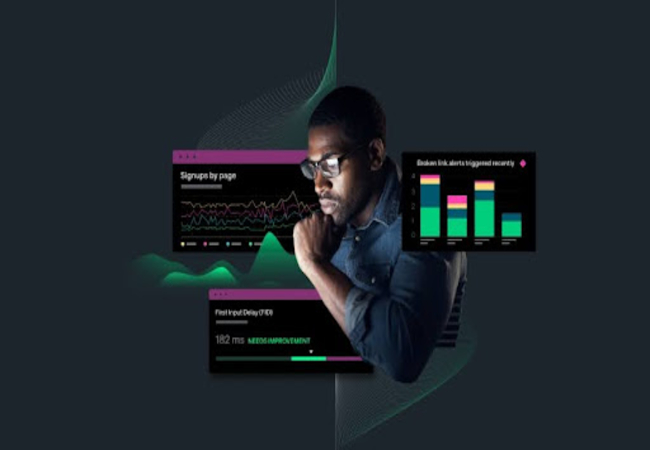
You should monitor your website’s performance to improve its effectiveness and achieve business objectives. Google Analytics provides detailed performance metrics that help you identify areas for improvement and track the effectiveness of your optimisation efforts.
Key Performance Metrics

- Page Views:
Track the total number of pages viewed on your website. High page views indicate strong user engagement, while low numbers suggest the need for more compelling content or better navigation. - Bounce Rate:
Measure the percentage of visitors who leave your website after viewing just one page. A high bounce rate can indicate issues with page relevance, load times, or user experience that need to be addressed. - Average Session Duration:
Analyse the average amount of time visitors spend on your website. Longer session durations typically signify that users find your content valuable and engaging. - Pages per Visit:
Monitor the number of pages users view during a single session. More pages per session suggest effective internal linking and engaging content that encourages users to explore further. - Load Time:
Assess the average time it takes for your web pages to load. Faster load times enhance user experience and can positively impact your search engine rankings and conversion rates.
Monitoring these performance metrics allows you to continuously optimize your website, improve user experience, and more effectively achieve your business objectives.
5. Optimization of Content Strategy
A well-defined content strategy attracts and retains website visitors. Google Analytics provides insights that help you understand which content performs best and how to optimize your content strategy for maximum impact.
Key Content Optimization Strategies
- Identify Best-Performing Content:
Use the Behavior > Site Content > All Pages report to identify which pages receive the most traffic. Understanding which content resonates with your audience allows you to create more of what they find valuable. - Analyse Content Engagement:
Evaluate metrics such as average time on page and bounce rate to assess how engaging your content is. High engagement indicates that your content meets user needs, while low engagement suggests the need for improvements. - Optimise for SEO:
Leverage the Acquisition > Search Console > Queries report to identify which search queries drive traffic to your site. Optimise your content with relevant keywords to improve search rankings and attract more organic traffic. - Content Gap Analysis:
Identify topics and keywords for which your competitors are ranking, but you are not. Creating content around these gaps can help you capture additional traffic and expand your audience’s reach. - User Flow Analysis:
Examine the paths users take through your website using the Behavior > Behavior Flow report. Understanding user journeys helps you structure your content to effectively guide visitors toward conversion goals.
Implementing these content optimisation strategies can enhance the relevance and effectiveness of your content, leading to increased engagement, higher search rankings, and improved business performance.
6. Measuring Conversions and Goals

Tracking conversions and setting up goals are among the most critical aspects of monitoring the success of your marketing efforts and understanding how users interact with your site. Google Analytics allows you to define and monitor specific goals that align with your business objectives.
Critical Strategies for Conversion Tracking
- Define Clear Goals:
Establish specific, measurable goals such as form submissions, product purchases, newsletter sign-ups, or account creations. Clear goals provide direction for your marketing strategies and help you measure success accurately. - Set Up Goal Funnels:
Create goal funnels to visualise the steps users take to complete a goal. Understanding where users drop off in the funnel allows you to identify and address obstacles that hinder conversions. - Track E-commerce Transactions:
If you operate an online store, enable e-commerce tracking to monitor sales, revenue, and product performance. Detailed e-commerce data helps you optimize your product offerings and sales strategies. - Use Event Tracking:
Implement event tracking to monitor specific user interactions, such as button clicks, video plays, or downloads. Event tracking provides insights into how users engage with different elements of your website. - Analyse Conversion Paths:
Using the Multi-Channel Funnels report, examine the sequences of interactions that lead to conversions. Understanding conversion paths helps you identify the most effective marketing channels and touchpoints.
By effectively tracking conversions and setting up goals, you can measure the impact of your marketing efforts, optimise your strategies for better performance, and achieve your business objectives more efficiently.
7. Employ Custom Dashboards and Reports
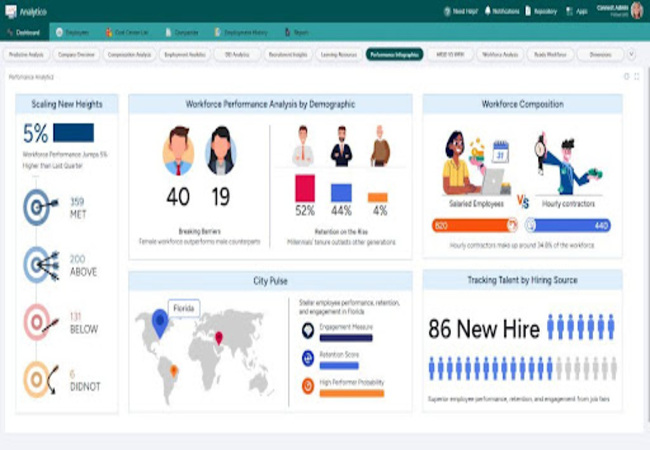
Custom dashboards and reports in Google Analytics enable you to focus on the metrics that matter most to your business. Tailoring your analytics interface to display relevant data can enhance your ability to make informed decisions quickly.
Critical Strategies for Custom Dashboards
- Create Customized Dashboards:
Design custom dashboards that highlight the key metrics relevant to your business goals. For example, a marketing dashboard might focus on traffic sources, conversion rates, and campaign performance, while an e-commerce dashboard could emphasise sales, revenue, and product performance. - Use Widgets Effectively:
Utilise widgets to display different types of data, such as tables, charts, and graphs, within your dashboards. Widgets allow you to visualise data in a way that is easy to interpret and actionable. - Automate Report Generation:
Schedule regular reports to be generated and emailed to stakeholders automatically. Automated reporting ensures that crucial team members stay informed about website performance without manual effort. - Share Dashboards with Team Members:
Collaborate with your team by sharing custom dashboards and reports. Shared dashboards facilitate communication and ensure that everyone is aligned with the latest insights and performance metrics. - Integrate with Other Tools:
Combine Google Analytics data with other tools like Google Data Studio for more advanced reporting and visualisation. Integration with other platforms can provide a more comprehensive view of your digital performance.
Leveraging custom dashboards and reports allows you to streamline your data analysis process, focus on the metrics that drive your business, and make more informed decisions.
8. Optimizing for SEO using Google Analytics

Search Engine Optimization (SEO) is critical for improving your website’s visibility in search engine results. Google Analytics provides essential data that can help you enhance your SEO strategies and achieve better search rankings.
Critical Strategies for SEO Enhancement
- Monitor Organic Traffic:
Track the volume of organic traffic your website receives and identify trends over time. Understanding fluctuations in organic traffic helps you assess the effectiveness of your SEO efforts and make necessary adjustments. - Analyse Landing Pages:
Identify which landing pages attract the most organic traffic and evaluate their performance. High-performing landing pages can serve as models for creating content that drives traffic and effectively engages users. - Evaluate Keyword Performance:
Use the Acquisition > Search Console > Queries report to analyse which keywords are driving traffic to your site. Identifying high-performing keywords allows you to optimize existing content and target new keywords for improved search visibility. - Optimise Content Based on User Behavior:
Examine metrics like bounce rate and average session duration for page ranking for specific keywords. Optimising content based on user behaviour ensures that visitors find the information they need, leading to higher engagement and better SEO performance. - Identify and Fix Technical SEO Issues:
Leverage insights from Google Search Console integrated with Google Analytics to identify and address technical SEO issues such as broken links, slow page load times, and mobile usability problems. Fixing these issues enhances your website’s overall SEO health and improves search rankings.
Implementing these SEO enhancement strategies can improve your website’s visibility in search engine results, attract more organic traffic, and achieve higher conversion rates.
9. Segmentation to Get More Insights

Segmentation in Google Analytics allows you to divide your data into meaningful subsets, enabling a more detailed analysis of user behaviour and website performance. By understanding different segments of your audience, you can tailor your marketing strategies to meet their needs better.
Critical Strategies for Effective Segmentation
- Demographic Segmentation:
Divide your target audience into segments based on demographic data like age, gender, and interests. Demographic segmentation helps you understand the preferences of different audience groups and customize your content and marketing efforts accordingly. - Geographic Segmentation:
Segment your audience based on geographic locations, such as country, region, or city. Geographic segmentation allows you to target specific regions with localised marketing campaigns and address the unique needs of different areas. - Behavioural Segmentation:
Divide your audience based on their behaviour on your website, such as pages visited, time spent, and actions taken. Behavioral segmentation helps you identify patterns and trends in user interactions, enabling you to optimize your website for better engagement and conversions. - Traffic Source Segmentation:
Analyse segments based on how users arrive at your website, whether through organic search, paid ads, social media, or referrals. Understanding traffic sources helps you evaluate the effectiveness of different marketing channels and allocate resources accordingly. - Device Segmentation:
Segment your audience based on the devices they use to access your website, such as desktop, mobile, or tablet. Device segmentation allows you to optimize your website’s performance and user experience for different platforms, ensuring a seamless experience for all users.
By utilizing segmentation, you gain deeper insights into your audience’s diverse aspects, allowing you to create more targeted and effective marketing strategies that drive better business outcomes.
10. Integrating Google Analytics with Other Tools
Integrating Google Analytics with other tools and platforms can enhance your data analysis capabilities and provide a more comprehensive view of your digital performance. Seamless integration allows you to combine data from multiple sources, enabling more informed decision-making.
Key Integration Strategies
- Google Ads Integration:
Link Google Analytics with Google Ads to track the performance of your advertising campaigns. This integration provides insights into how ad clicks translate into website interactions and conversions, helping you optimize your ad spend and improve campaign effectiveness. - Google Search Console Integration:
Connect Google Analytics with Google Search Console to gain a holistic view of your website’s search performance. This integration allows you to analyse how search queries drive traffic to your site and identify opportunities for SEO optimisation. - CRM Integration:
Integrate Google Analytics with Customer Relationship Management (CRM) systems like Salesforce to track customer interactions and measure the impact of your marketing efforts on sales and customer retention. This integration provides a unified view of customer data, enhancing your ability to personalise marketing strategies. - Email Marketing Integration:
Link Google Analytics with email marketing platforms like Mailchimp to track the performance of your email campaigns. Monitor metrics such as open rates, click-through rates, and conversions, enabling you to refine your email marketing strategies for better results. - E-commerce Platform Integration:
Integrate Google Analytics with e-commerce platforms like Shopify or WooCommerce to track sales performance, product popularity, and customer behaviour. This integration provides valuable insights into your online store’s performance, helping you optimise product offerings and marketing strategies.
By integrating Google Analytics with other tools, you can create a more comprehensive data ecosystem that enhances your ability to analyse and act on insights, ultimately driving better business performance.
Final Thoughts
Making the best use of Google Analytics is an ongoing strategy of planning, implementation, and continuous optimisation. Implementing the critical elements discussed here will not only enhance your website’s performance but also ensure that you harness the full potential of Google Analytics. Here are five final takeaways:
- Thorough Strategy Formulation:
Begin with a comprehensive analytics strategy that encompasses data tracking, audience analysis, performance measurement, and goal setting. - Investment in Quality Data Collection:
Utilise proper codes and settings when placing tracking codes to ensure accurate and comprehensive data collection. This is crucial for obtaining high-quality insights. - Data-Informed Decisions:
Rely on data and analytics to drive your marketing and optimisation decisions, ensuring that your efforts are practical and aligned with your business goals. - Adaptability and Flexibility:
Be flexible enough to change your strategy based on data insights and market conditions, ensuring competitiveness and responsiveness to evolving user needs. - Continuous Learning and Improvement:
Review your analytics data regularly, stay updated with new features, and continually refine your strategies based on insights to drive long-term growth and success.
By embracing these principles, your Google Analytics efforts will not only improve your website’s visibility and performance but also enable you to make informed, data-driven decisions that drive business growth and success. Implementing a strategic and comprehensive analytics approach ensures that your digital presence remains competitive and effective in the dynamic world of online marketing.
]]>Key Aspects of VPS:

- Enhanced Decision-Making: It is a platform for making the right decisions, which will improve the need and performance of hosting services by providing valuable data.
- Cost Efficiency: It exposes areas for cost savings that lead to better budgeting because it does not rent its whole server and does not require all the websites to be loaded in one place.
- Improved Customer Focus: The site will run very efficiently, which is the fundamental aspect that will delight the web audience and thus increase customer’ satisfaction customers’.
- Continuous Improvement: A tech is a bedrock that allows for regular checking and changing of the website per new business needs.
- Strategic Planning is a tool for wisely using the planned resources that follow the expansion of the business; therefore, it is the most crucial feature of long-term decisions.
This blog post is an assignment to explore the principles of VPS hosting, its modern business practices, and the application of VPS in a scenario that is related to website performance. We invite you to join us as we disclose the insights and steps that are both useful and feasible for you to employ VPS in your business strategy!
What is VPS?

VPS is short for Virtual Private Server, a hosting service that looks much like a dedicated server in a shared hosting environment. By using virtualization technology VPS, the hosting provider can carve out different virtual servers from one physical server. Each server will have its own operating system, resources, and configurations. This enables companies to get the benefits of a dedicated server, like better performance and security, while the physical computer is shared. Firms can use VPS hosting for better scalability and control when they know their applications and websites’ demands and how to handle the servers properly.
Key Components of VPS
- Isolation: Isolation forms the basis of VPS. Each virtual server is a self-contained element, and, as a result, one VPS does not influence the rest; hence, its performance is not increased. With the proper side effects being efficiency and reliability in hosting, uptime becomes the most vital thing of the tasks involved in the security of the infrastructure.
- Resource allocation concerns partitioning CPU, RAM, and throughput among the virtual servers. A VPS is typically supplied with a set of resources that could be modified according to the needs of particular organizations. The flexibility gained now, because you can scale according to your changing needs, may have a significant influence on the whole system.
- Customization: Customization is one more critical component of VPS. Users have elevated authorization access, allowing them to install and configure software, set security parameters, and modify settings, making the hosting solution work better depending on their needs. This autonomy assists in better optimization for particular applications.
Benefits of VPS

- Improved Decision-Making: In addition to VPS hosting, a proper course of real-time data and analytics leverages business decision-making. For example, it is an e-commerce platform that can survey traffic patterns and distribute resources wisely to improve the user experience during the shopping season.
- Cost Efficiency: A VPS is more efficient in terms of the money spent on infrastructure and allows businesses to test the waters before scaling resources on demand. Companies only pay for whatever they need and thus do not need to bear the significant expenses related to dedicated servers. This is equivalent to the organization maintaining the same level of performance with much lower costs.
- Enhanced Communication and Collaboration: A VPS can create seamless communication and collaboration through tools hosted on the server, such as CRM systems and project management software, helping teams work together well regardless of location.
Core Principles of VPS

- Focus on Performance: Real-time data analytics on the performance of the applications running on the VPS is a key element in understanding why VPSs are essential. Companies can custom-develop their settings in areas of interest to bring performance up to the required level of different operations.
- Link Performance to Cost: By combining performance metrics with costs, corporations can make wise decisions. Firms’ costs are directly related to resource allocation and, thus, the optimization of their expenditures.
- Continuous Improvement: Achieving progress continually enables the agency to monitor its virtual private server (VPS) environments, embodying the points where necessary changes become feedback and performance metrics.
Steps to Implement VPS

- Analyze Current Hosting Environment: Let us examine the current hosting ecosystem, which persists in identifying the limitations and performance honk that need to be examined.
- Establish Resource Requirements: Identify the requirements essential to the anticipated workloads and decide on them. This will include looking at CPU, RAM, and bandwidth needs.
- Implement Performance Monitoring Tools: Get the tools set up to oversee the better part of performance and consumption, thanks to which you can regulate the resources as required.
- Engage IT Personnel: It would be wise if employees dealing with information technology were part of the rollout to ensure a fitting VPS installation that would suit the organization’s goals and requirements.
- Leverage Virtualization Technologies: Use sophisticated computer virtualization based on virtual servers to deliver the best outcomes of your VPS. These could be applications that make server backups, balance the load, or increase the system’s security level.
Real-World Examples of VPS
- E-commerce Website: A leading e-commerce solution switched from dedicated to VPS hosting to ensure performance during sales peak seasons. The transitional measure sped up page load time and improved shopper satisfaction, increasing the sales conversion rate.
- SaaS Application Provider: Through a VPS, a SaaS software vendor was able to create and administer an extensive user base and ensure the data’s security and compliance. The adaptability of VPS optimized them to scale their resources seamlessly and go one step further with their service while maintaining their perfect performance.
- Development and Testing Environments: A software development firm preferred VPS for their testing applications, which required isolation of the environments. This method enabled the developers to toy around with the idea without any worries that could potentially affect the system positively. As such, they were able to complete their application project in a short time.
The introduction and application of VPS technologies in business have enabled the achievement of greater efficiency, security, and lower costs. This is the case when VPS hosting is used as a solution to improve the performance of websites within organizations and the technical security required for these sites.
In conclusion
VPS (Virtual Private Server) hosting is an excellent strategy for businesses attempting to get a stronghold on their online presence and keep their business running efficiently. A definite result of successful server virtualization would be the efficient distribution of resources to websites. Investing time and effort in forming a stable user experience will allow businesses to improve decision-making strategies and operational processes, thus fully realizing their potential. The popularity of VPS hosting in the digital market is closely compared to the cloud.
When you embed VPS hosting principles into your business operations, you will be competent in getting your enterprises to the following points:
- Improved Website Performance: Eliminate slow page loads and ensure your site is always up and running properly so your customers find it convenient.
- Enhanced Security: Ensure that you are the only person who can access your data with the security features provided by the dedicated resources and the customizable firewall from the hosting server, which effectively blocks data leakage in case of any breach or attack.
- Scalability and Flexibility: Controlling your data as your business expands will seem extremely simple due to easily varying your hosting resources. This enables you to handle huge volumes of traffic promptly without causing any downtime at your site.
Isn’t it time you unleashed yourself into a new world of VPS hosting that has the potential to improve your organization? Get started with keeping your online business profitable today!
]]>Largest Contentful Paint (LCP) plays a pivotal role in measuring the success of online advertising. It affects the user experience, engagement, and conversion rates, making it essential for advertisers to optimise. LCP is critical because:
- It impacts the user experience by measuring how fast the most significant content on a webpage loads.
- A slow LCP can significantly reduce user engagement and lead to higher bounce rates, potentially causing a loss in potential conversions. This underscores the urgency for advertisers to address LCP optimization.
- Optimizing for faster LCP not only improves advertising success but also boosts SEO rankings, making it a crucial factor for online advertisers to consider.
- LCP directly influences user retention and conversion rates, making it a key factor in determining the success of an advertising campaign.
- LCP optimisation boosts campaign performance.
What is the Largest Contentful Paint (LCP)?
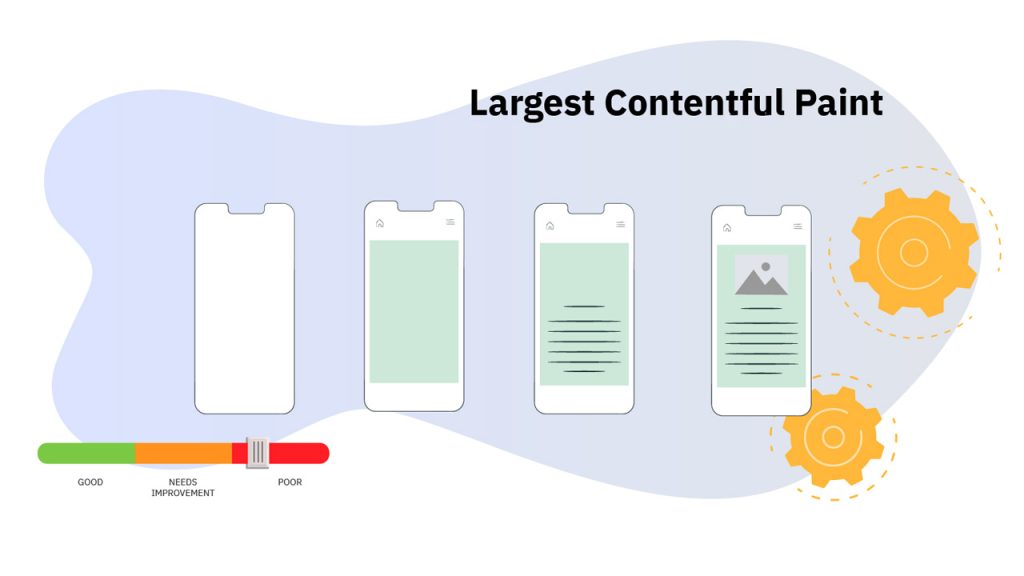
Largest Contentful Paint (LCP) refers to the time it takes for the most significant element in a browser’s viewport, such as an image, video, or block of text, to fully load. It is one of the three key metrics in Google’s Core Web Vitals and measures how quickly the main content becomes visible to the user.
- LCP Full Form: Largest Contentful Paint.
- LCP Google: It is a core web vital that affects search engine ranking.
- LCP SEO: Directly influences your website’s visibility in search results.
- LCP Content: Includes images, videos, and large blocks of text.
- LCP Performance: Determines how fast the most important content on your page loads.
When LCP takes more than 2.5 seconds, the user experience deteriorates. For advertisers, ensuring LCP remains under this threshold is vital to keep users engaged and avoid high bounce rates.
LCP’s Role in Advertising
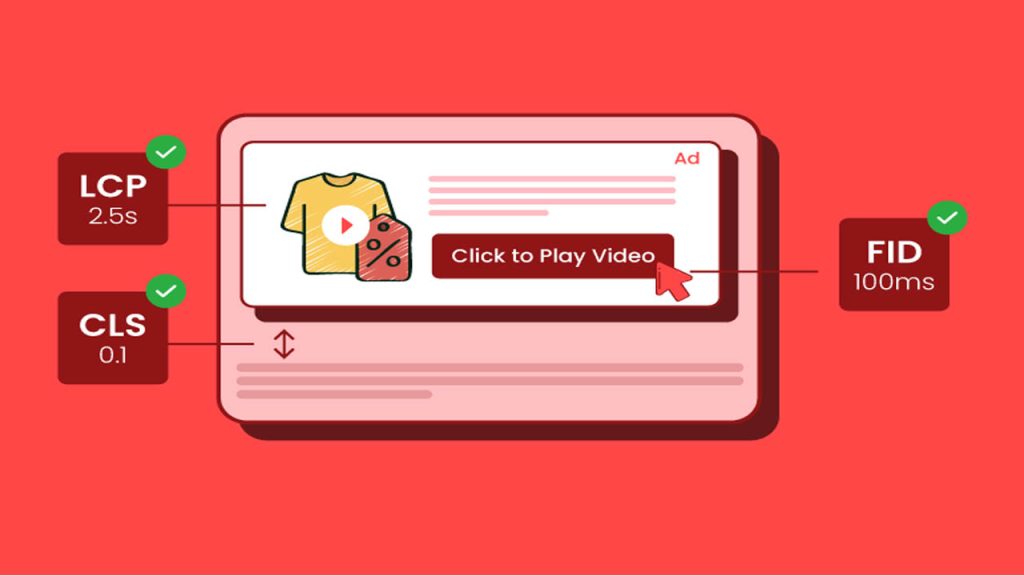
In advertising, LCP is crucial because it directly impacts user experience and the performance of a marketing campaign. If a page takes less time to load, users may abandon the site before interacting with the content, affecting engagement and conversions. Key points include:
- LCP Full Form: Largest Contentful Paint is critical for advertisers to understand.
- LCP SEO Impact: A faster LCP increases your site’s search rankings.
- User Retention: The higher the LCP, the more difficult it is to engage users.
- Conversion Rates: A slow LCP results in lower conversion rates.
- Ad Spend Efficiency: A poor LCP can save advertising budgets, leading to high bounce rates.
Optimising LCP ensures a faster page load time, which is essential for increasing engagement, improving SEO performance, and boosting advertising ROI.
Methods to Optimize LCP for Advertising Success
Improving Largest Contentful Paint (LCP) involves several optimisation strategies. These include optimising images, server response time, and render-blocking resources. Below are five essential methods to improve LCP:
1. Image and Video Optimization
Optimising images and videos is one of the most impactful techniques to enhance LCP. Large files can slow down the entire loading process. To improve LCP, you can:
- Compress images without losing quality.
- Use next-gen formats like WebP.
- Optimise video size and enable lazy loading for videos.
- Avoid large background images that slow down loading.
- Use appropriately sized images for all devices.
Optimising media files ensures faster loading times, improving the user experience and reducing bounce rates.
2. Minimize Server Response Time
Reducing server response time directly affects LCP. By cutting down on delays, advertisers can significantly enhance performance. Key strategies include:
- Use a Content Delivery Network (CDN).
- Optimise your web server settings.
- Enable browser caching.
- Serve content from a server closer to the user to reduce latency.
- Use HTTP/2 for faster content delivery.
A faster server response time improves the overall user experience and ensures the most significant content loads quickly.
3. Use Lazy Loading
Lazy loading delays the loading of non-critical elements until they are needed. This optimisation ensures the main content loads first, improving LCP. To implement lazy loading:
- Defer loading non-essential aspects like images and iframes.
- Prioritise loading content above the fold.
- Use lazy loading with HTML5 or JavaScript libraries.
- Ensure the primary content loads before secondary elements.
- Implement lazy loading across the site to optimise performance.
Lazy loading allows access to crucial content faster, improving user satisfaction and engagement.
4. Minimize Render-Blocking Resources
Render-blocking resources, such as CSS and JavaScript, can delay the loading of the page’s primary content, negatively impacting LCP. To minimise these delays:
- Optimise CSS and JavaScript files.
- Defer or async non-critical scripts.
- Minimise external stylesheets.
- Inline small CSS snippets for quicker rendering.
- Remove unused CSS and JavaScript.
By optimising render-blocking resources, you can significantly reduce LCP and improve page load speed.
5. Optimize Web Hosting
The quality of web hosting plays a significant role in determining LCP. Low-quality hosting can neutralise other optimisations, leading to poor performance. To improve hosting:
- Choose a fast and reliable hosting provider.
- Use managed hosting services for better performance.
- Regularly monitor uptime and response times.
- Upgrade to dedicated or VPS hosting.
- Conduct regular audits on hosting performance.
A reliable hosting provider ensures your website performs optimally, reducing load times and improving user experience.
LCP and SEO

LCP is one of the core components of SEO because it directly affects Google rankings. Websites with poor LCP scores are penalised, leading to reduced visibility and traffic. The impact of LCP on SEO includes:
- LCP Full Form: A core metric in Google’s SEO ranking factors.
- LCP Google: It serves as a page experience ranking signal.
- Bounce Rate: A slow LCP leads to a high bounce rate, negatively affecting SEO.
- Conversion Impact: Faster-loading sites convert better and rank higher organically.
- LCP SEO Best Practice: Improving LCP directly enhances SEO performance.
By optimising LCP, advertisers can improve user experience and enhance their SEO strategy, leading to better search engine rankings and more organic traffic.
LCP Performance Monitoring and Testing
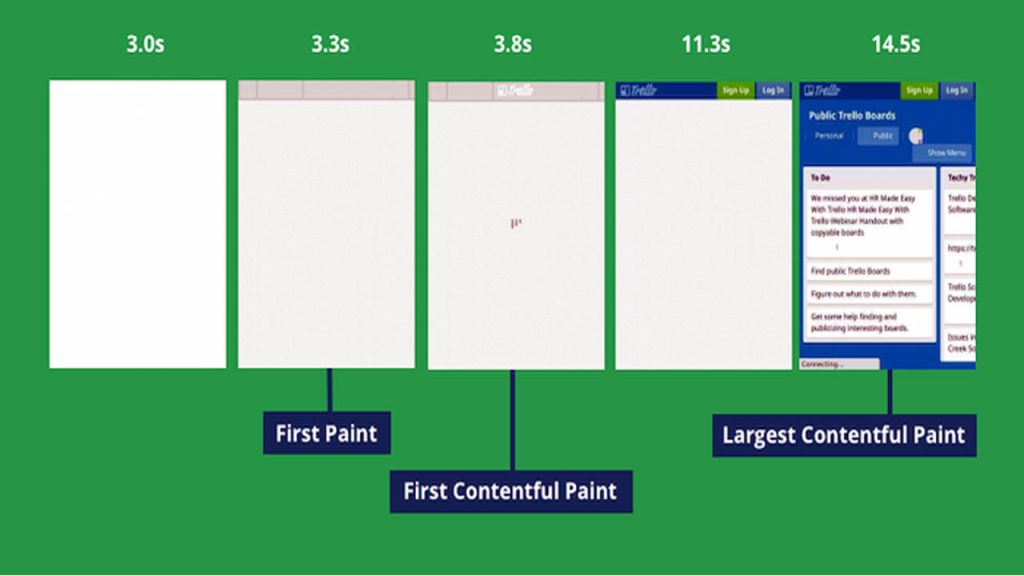
To maintain a healthy LCP score, advertisers must consistently monitor and test their website’s performance. Several tools are available to check LCP and identify areas for improvement:
- Use Google PageSpeed Insights for detailed LCP analysis.
- Periodically test performance with Lighthouse.
- Identify slow-loading elements with Chrome DevTools.
- Set performance budgets to guide LCP improvements.
- Utilise real-user monitoring tools for accurate data.
Continuous testing and monitoring are crucial for maintaining optimal LCP performance and ensuring successful marketing campaigns.
Final Thoughts
The largest Contentful Paint (LCP) is a critical element in the success of online advertising and SEO performance. It directly affects user experience, conversion rates, and search rankings, making it essential for advertisers to optimise. Key takeaways include:
- LCP Google: A core web vital that affects SEO ranking.
- User Satisfaction: Faster LCP improves user experience and engagement.
- Improved Conversion: Optimizing LCP leads to better conversion rates.
- LCP SEO Directly impacts your website’s rank and visibility.
- Long-Term Success: Consistent monitoring and testing help ensure continuous improvement.
By improving your website’s LCP, you can enhance meaningful engagement with your audience, increase brand loyalty, and drive business growth.
]]>Ready to talk with a marketing expert?

A Pragmatic and innovative way to enthrall your target group is just a click away!
Get in Touch
Rukmini Knowledge Park, Kattigenahalli, SH 104, Srinivasa Nagar, Bengaluru, Karnataka 560064
+91-990 247 8800
contact@gingermediagroup.com
Popular in Television Advertising
Udaya TV AdvertisingSun TV AdvertisingStar Plus AdvertisingTV 9 AdvertisingZee TV AdvertisingNDTV India AdvertisingColors TV AdvertisingPopular in Airport Advertising
Spice Jet AdvertisingMumbai Airport AdvertisingDelhi Airport AdvertisingEmirites AdvertisingIndiGo Airlines Domestic India AdvertisingPopular in Newspaper Advertising
Deccan Herald AdvertisingPrajavani AdvertisingThe Hindu AdvertisingEconomic Times AdvertisingDainik Jagran AdvertisingHindustan Times AdvertisingPopular in Magazine Advertising
Forbes AdvertisingCosmopolitan AdvertisingBusiness World AdvertisingVogue Magazine AdvertisingPopular in Sports Advertising
IPL AdvertisingPopular in Outdoor Advertising
Billboard AdvertisingBus Shelter AdvertisingMetro Pillar AdvertisingUnipole Advertising© Ginger Media Group 2025. All Rights Reserved.